
Blog
10 Signs of Good and Bad Web Design (20 Total Examples)
By Alyaman AlhayekUpdated 8 min read
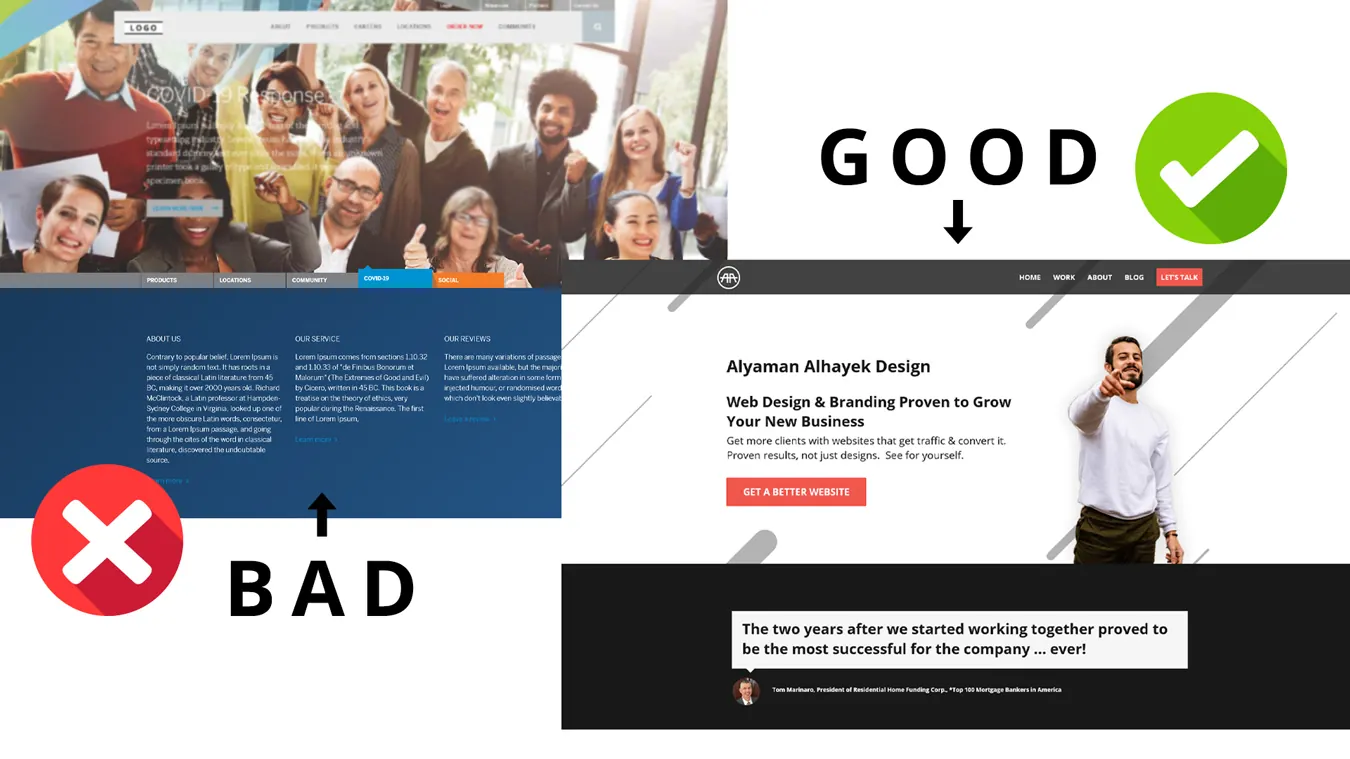
Before you jump into building your own website, it’s good to get an idea of what to do and what not to do. Luckily, there are plenty of examples of both
Before you jump into building your own website, it’s good to get an idea of what to do and what not to do. Luckily, there are plenty of examples of both good and bad web designs out there. We’ve gathered examples of 10 different mistakes that, when fixed, can be strengths to any website. The bad examples come first, followed by their good example counterparts.
1: No Use of a Grid System
If you’re using a website builder, like Wix or Squarespace, chances are the interface will already have elements laid out in a grid system. If not, then take care not to place elements in random places or cluster them together to “save space.” Without a grid system, viewers will have trouble navigating your site.
Good Use of a Grid System
A site with a grid system will appear organized and clean. Every element has its own space, and nothing looks like it’s “taking over” any other element. Using a grid system helps to keep the size and spacing of text, images, and other elements consistent.
2: Hard-to-read Typography
Have you ever had to strain your eyes to make out a word on a page or a website? Poorly designed websites often choose fonts that are difficult to read on a computer screen, whether the type is too small, the font is too decorative, or the chosen color doesn’t contrast well with the background.
Imagine trying to read bright turquoise text on a yellow background, or sifting through paragraph after paragraph of cursive font. You would stop before you’d read two sentences, and maybe even sooner!
Easy-to-read Typography

A well-designed website never makes its users wonder what’s written on the page. For an easy-to-read experience, choose a simple, sans serif font that contrasts well with the background for body copy. For titles and logos, the typography is often a little more elaborate, but make sure that it is still readable, especially on a mobile device.
The screenshot below is a perfect example of an easy-to-read font on a website homepage. The bold white and light yellow sans serif fonts stand out great against the dark navy background.
3: Not Optimized for a Mobile Experience
Have you ever tried to navigate a website on your smartphone that was clearly meant to be used with a desktop computer? It’s incredibly frustrating to try to scroll to the side to see all the content on a site.
It’s also frustrating when a site claims to be “mobile-friendly,” but the mobile version is essentially just the text of the site, with no images or other design elements to be found.
Optimized for User Experience on Any Device
A well-designed website will have been optimized for use on any device – desktop, laptop, tablet, or smartphone. As mentioned earlier, if using a website builder, it will likely have a feature that allows the designer to preview the site as if it was on a mobile device. This will help the designer understand what might need to be changed or removed to improve the overall user experience.
4: Poor Color Scheme
A common mistake in web design is trying to use too many colors at once. Whether it’s an ombre background, multiple colors of type, or an unfortunate mixture of the two, bombarding a viewer with too many colors can make it hard for them to read and navigate your site – there’s just too much to take in!
In addition, using too many colors can detract from your website’s purpose and identity.
Tasteful Color Scheme

A well-designed website makes use of just a few colors that go well together. Its interface eases the user’s eye instead of strains it. A viewer should be able to take in your website with no effort.
The most memorable companies and brands carefully choose a color scheme with anywhere from 2-5 colors that define their brand. Then, they use these colors consistently across all of their platforms so that they are easily recognizable.
If you already have a color scheme picked out for your company, use that same color scheme on your website to solidify your brand identity. If not, carefully choose a few colors to use – don’t try to use them all!
5: Poor Navigation
Have you ever visited a website that left you wondering where to look or click next? Have you ever searched high and low for the navigation bar? Some enthusiastic web designers go too far with “style” and creative touches that they forget that simplicity is key for any online experience.
Putting the navigation bar for your site behind a rollover link or all the way at the bottom of your site will leave users confused and frustrated.
Clear Navigation
The best-designed websites have a simple, yet eye-catching navigation bar that is placed somewhere near the top of the webpage. If users want to see another page of your site, they should be able to easily move between pages via those navigation links. Some websites make use of icons to indicate social media pages or a “contact us” button.
Just make sure that however you title your navigation bar, it leaves no question in a viewer’s mind where they should go next.
6: Dead Links
Dead links and out-of-date information are two of the fastest ways for a website to lose credibility. Imagine how frustrating it would be for a user to click on a link only to see the ever-dreaded “error 404” message pop up. Equally frustrating is discovering an outdated fact. Viewers will be inclined to distrust or ignore a site that gives them incorrect or useless information.
Up to Date Information
On a well-designed webpage, every element and piece of information has a purpose. Update your site regularly to make sure that nothing is obsolete and that all your links are in working order. Avoid adding more links than necessary – only include the most important ones. If necessary, sub-links are a great way to stay organized.
7: No White Space
When a website doesn’t make use of white space, the webpage may appear cluttered, crowded, or cramped. To “save space,” sometimes designers pack too much information into one area, making it difficult to know where to look or to determine which information is most important.
White space can also literally mean “white” space. White is a clean, simple color. Using too many colors on a webpage can make it feel dark and cramped to the viewer. Using white in your web design helps your page feel open and bright.
Good Use of White Space

A website that skillfully uses white space will give each element room to “breathe” and stand out. The user’s eye will be immediately drawn to the most important piece of information, and can then follow the natural visual hierarchy to take in the rest of the information on the page.
Everything is easy to read, and, as mentioned above, everything on the page has a purpose. A user can easily identify the purpose of the website at first glance.
8: Poor Quality Images

A big part of any online experience is the visuals. If a user clicks on a website that has blurry, discolored, or poorly edited images, or uses pictures that are obviously cheesy stock photos, they are less likely to trust that site.
Many stock photo companies do offer a wide variety of quality images, but be careful not to include overly generic photos – and definitely don’t use a photo with a watermark!
High-Quality Images
Using high quality, and where possible, original images adds a sense of credibility, relatability, and humanity to a website. Users want to feel like they are interacting with a real person, not a robot. They want to see that effort was put into designing the site, and that it was created with them and their needs in mind.
Also, avoid over-editing photos or not editing them at all. It will be very apparent to a viewer.
9: Spelling and Grammar Errors
Poor spelling and grammar may very well be the hallmark of ways to most quickly lose credibility. A website with frequent typos and poor grammar looks sloppy and unprofessional. Even one simple error can stand out and turn a user off to the rest of your content – even if it’s good content otherwise!
Good Spelling and Grammar
Every content creator and web designer should put time and effort into creating well-written, error-free copy on all of their platforms. Good writing appears professional and credible. A lack of errors shows that effort and care went into creating the content on a website.
“Professional” doesn’t mean that you need to use long words and technical terms. In fact, that’s another way to lose viewers. Use language that is easy to read and that just about anyone can understand. You don’t need to be overly informal, but you should be conversational. Imagine you’re talking to a neighbor.
10: Big Blocks of Text
Your middle school English teacher may have taught you to write one paragraph per topic in an essay, but this isn’t a good rule of thumb in web design.
Especially on a mobile device, like a smartphone, a reader doesn’t want to see a huge wall of text taking up their entire screen. This makes it easy for the reader to lose focus, lose their place, or feel like the content of the site is too long to read – not worth it!
Copy is Broken into Manageable Chunks
The best way to organize text on a website is by separating each idea or thought into its own paragraph. When a user looks at this site at a glance, they won’t feel like there’s too much content to take in – they can read a little bit at a time. Pictures and helpful headings also make great “breaks” in the text.
Looking for more examples of bad web design or how to fix problems on your own site? Check out this other post I wrote on 20 examples of bad web design and how to fix them.
Want a website that people actually find and use? See my website design services.